
In today’s post—which serves as a no-nonsense update to my previous articles on the subject—I’ll be introducing the latest version of the timer developed by Gunther Wegner, providing a status update, and explaining the reasoning behind the changes.
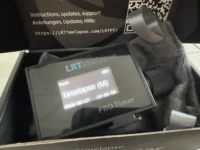
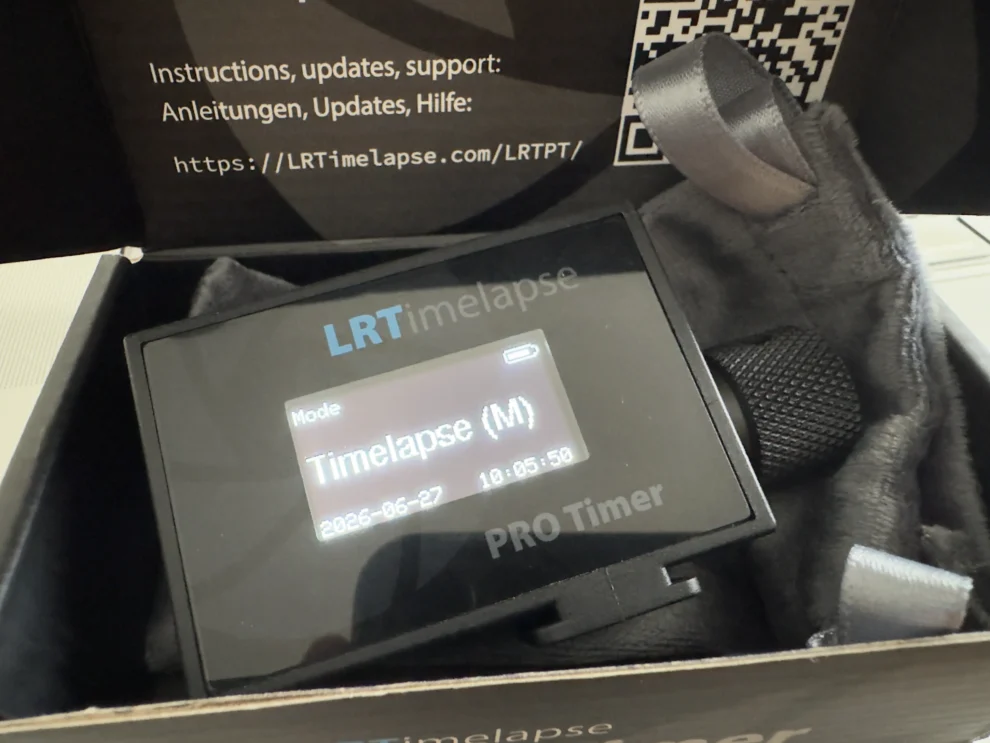
Gunther Wegner has unveiled version 3.5 of his timer. Key new features include a higher-quality plastic housing—manufactured via injection molding rather than 3D printing—and a full-surface glass cover over the display. The housing surfaces are now smooth, unlike the rougher finish of the previous model; it looks stylish and feels premium. The glass serves primarily as protection. The timer comes with a velvet-like pouch for storage and safekeeping—a great touch, especially if, like me, you tend to just toss the timer into an accessory bag alongside other gear that might scratch it. I like it. Speaking of the velvet pouch: it can double as a cleaning cloth for your lens or glasses in a pinch. 😉
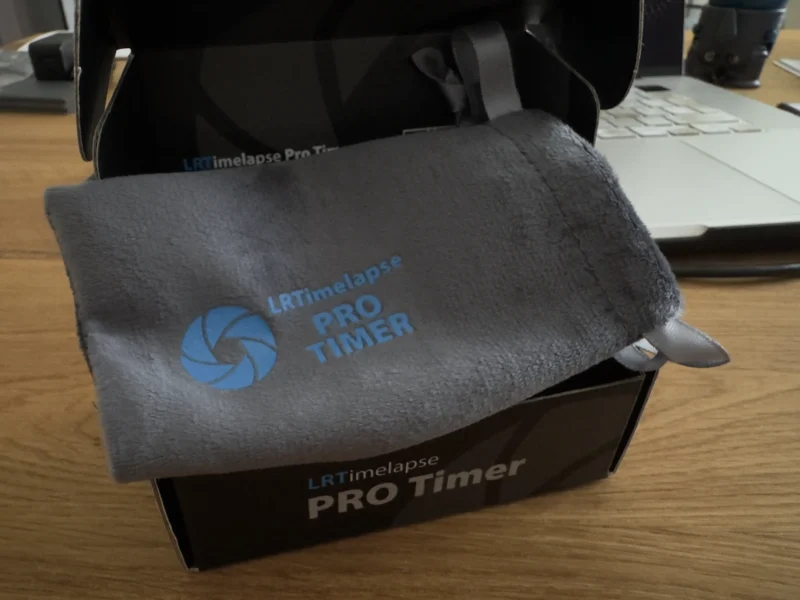
The shutter release cable fits into the small pouch as well, so you always have both items together.
Essentially, everything remains the same compared to the previous version. Gunther himself says that if you already own one, you don’t necessarily need to buy the successor; the internal components and firmware are identical. Regarding the USB-C port, the “charging bug” has been fixed, so you can now charge via USB-C to USB-C without having to go through USB-A.
Everything is getting more expensive these days, so you might assume the price of the timer has gone up too—an upgrade would certainly be a logical reason for a price hike. But that’s not the case. The price hasn’t just remained stable; it has actually dropped. Kudos to you, Gunther; this shows once again that you care about more than just marketing an accessory.
This brings me to the question: why buy a separate timer for time-lapse photography? Isn’t the built-in function found in many cameras enough? Well, in principle, it is—if you just want to create a quick time-lapse now and then. However, the LRTimelapse Pro Timer—as the name implies—brings a professional edge to the process. I’d like to refer you to my old post on this topic (though that one covered the 2.5 version, the predecessor to the predecessor). You can find it here. And here is a direct link to Gunther’s website: https://lrtimelapse.com/de/lrtpt/. Version 3 was a major upgrade: the display got bigger, and the Micro-USB port was later replaced by USB-C. With this new timer, too, the user can replace the internal real-time clock battery (a CR1220 coin cell) with a little bit of skill. You can find instructions for that here.
Light function and a gimmick
Under “Tools,” you can use the display as a light with 32 brightness levels. It’s called “Flashlight,” though it doesn’t actually flash. The “Pong” gimmick is a little game to help you pass the time.
Alternatives? Not really. Sure, you can create a video using the camera’s built-in interval function. The emphasis here is on video! The camera doesn’t save the individual frames—or rather, it deletes them once the recording finishes. The time-lapse video comes straight out of the camera ready-made. That is a completely different process from assembling RAW files into a time-lapse in post-production, where you can edit individual frames and adjust transitions to account for changing lighting conditions. This is where Gunther Wegner’s LRTimelapse software comes into play; you can use it for free for up to 400 images. So, it’s an image limit rather than a time limit. That’s enough for a one-hour shoot taking a photo every 10 seconds, for instance—totaling 360 images. It gives you plenty of room to test it thoroughly. Take a look here: https://lrtimelapse.com/de/buy/
QDSLRDASHBOARD has seen continuous development.
However, there is still the limitation that it is essentially only available for Android devices. The iOS version—for Apple devices like iPhones and iPads—hasn’t been available for a very long time. The developer’s website still displays the old notice stating that the issue lies with Apple and that a solution is being worked on. Well, it’s a shame that, after all this time, it seems unlikely we’ll see anything further from the developer. Okay, there is a macOS version, but who carries a MacBook around just for that? The current version number for macOS is 3.6.12. The Mac version might soon stop working if the developer doesn’t update it, as Apple plans to drop support for Intel-based apps starting with macOS 28. Rosetta support is set to be discontinued, effectively cutting ties with legacy technology once and for all. It remains to be seen whether Zoltan Hubai will undertake the work required for this transition. So, if you need the software, you’ll likely end up buying a small tablet running a compatible Android OS. You can certainly find good deals on the used market for those.
Who is Gunther Wegner? If you don’t know him yet, feel free to check out this page: https://lrtimelapse.com/de/ueber/
A podcast by c’t Fotografie is also worth a listen—click here.
If you have any questions, write it in the comments below. Thank you
Translate with google translation. German Text here.